
Watch Teşkilat Episode 188 (Season 7 Episode 4) With English Subtitles
Altay Fights to Bring Ender Home Safely – Teşkilat Episode 188 with English Subtitles
Full HD version below. Enjoy!
Watch Teşkilat Episode 188 (Season 7 Episode 4) with English Subtitles – Altay Fights to Bring Ender Home Safely
“For the Teşkilat, everything is possible.”
In Episode 188 of Teşkilat, the fallout from the Germany attack pushes everyone to act. Altay and Azra survive a sniper, but neither trusts the other, and Ender’s tracker signal raises new doubts. At the same time, Korkut and Hamdi push their way into Father Yahya’s arms business to reach the mysterious Ulak, while the Teşkilat tries to trace the call that could lead them to Ender. Plenty of lies, traps and surprises fill this episode.
Altay and Azra After the Sniper
The episode opens right after the shooting in Germany. Azra wore a bulletproof vest and tells Altay she came to confront him, not to die. Altay chases the shooter and accuses her of helping the man escape. Azra insists someone is using her to hurt them. She says she changed the receiver of Ender’s tracker, so its signal goes to a cloud address only she knows. Uzay and the team debate whether to believe her. Azra also explains that the Mapmakers killed her teacher Viktor, and that she only wants to save Ender.
Korkut, Hamdi and Father Yahya
Korkut and Hamdi press Şahin to arrange a meeting with the woman boss who never shows her face. Meanwhile, Father Yahya offers a partnership to the Haruzans over a pot of soup, but Kurban says they have already handed their business to others. Those others turn out to be Korkut and Hamdi, and Yahya reluctantly accepts them as partners. Bahar brings him a photo from the orphanage where his missing children, Süleyman and Ayşe, once stayed. Later, the woman meets Korkut and asks for two truckloads of drones by tomorrow evening.


 Connect with us on SOCIAL MEDIA to catch up on the latest updates and be part of our growing community!
For any issues, please check our FAQ
Check if you have issues on all your devices (phone, tablet, laptop, PC…) or just your TV.
Different manufacturers (Samsung, LG and others) have different operating systems on which their TV’s run. Samsung uses Tizen while LG has webOS and they are not up to date with the latest standards in video playback.
That’s why we developed a player which supports casting feature.
If the video is playable on your other devices, try casting it to your TV.
In some cases casting icon doesn’t show up on the lower edge of the player to iPhone/iPad owners.
If you face such an issue, we recommend using Tubio app. It’s free and you can download it from App Store by clicking this link.
With it, you can cast any video from your iPhone/iPad to your TV.
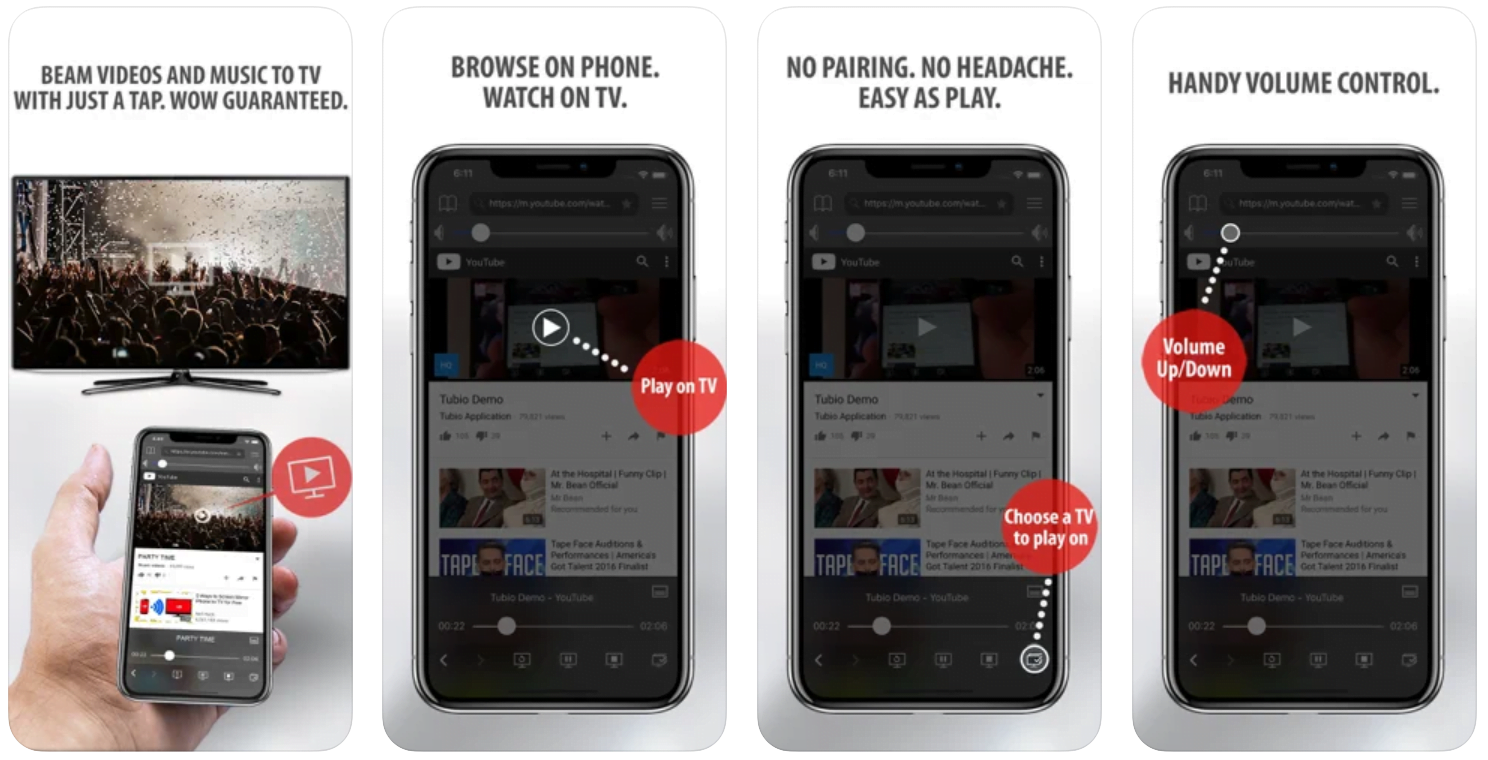
Yes it does! Our new player supports casting feature so you can easily cast the video from your phone/tablet/laptop or PC to your TV
Video casting is a feature which allows you to send (or cast) a video from your phone, tablet, laptop or a PC to your Smart TV or other Cast-enabled device (such as Smart TV’s, Chromecast and other devices with cast functionality).
It makes watching a video on your TV very convenient because you don’t have to use your TV’s browser (which are often not very user friendly) to find the video and play it on your TV.
Insted, you simply:
- find it on your phone, tablet, laptop or a PC,
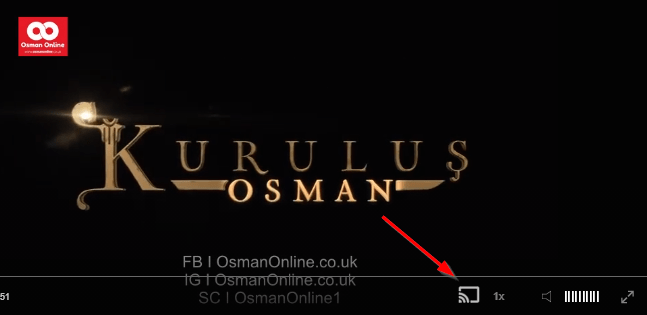
- click ‘Cast’ button (image below) on the lower edge of the video,
- select a TV to which you want to send the video
and video playback will start on your TV.
Note: Your TV and your phone, tablet, laptop or a PC need to be on the same network. It’s usually the case at home but, for example, if your phone is on mobile network and your TV is connected to your home network, casting button won’t show up on your phone because your phone doesn’t “see” your TV because they are not on the same network. In which case, simply connect your phone to your home network and reload the browsers page where the player is.
Clear cookies, clear cache, try a different browser.
Here’s a handy guide for most browsers.
Try using a different network. For example, if you have issues on your home network, you can try using your phone and it’s mobile network, in which case, your ISP is blocking the access to the video so maybe you should consider switching ISPs or using a VPS service.
The Hunt for Ender
Cihan wants the bomb maker from the hospital, so Defne, Zülküf and Cihan follow a trail of unregistered materials through a scrap dealer and security footage, which leads to a name: Dragon. Meanwhile, Ender’s clip is found in Altay’s house, but there is no sign of the boy. Chief Tuğrul has Altay call Ulak with a bug on his phone, hoping to pinpoint the signal. When the location is found, Altay sets out to bring his son home, while the team prepares a bigger move of its own. Not everything goes as planned.
Mini FAQ
Does Altay find Ender in Teşkilat Episode 188?
Yes. With Uzay tracking the signal and the team’s help, Altay locates the building where Ender is held and gets to his son. The episode still leaves several threats open.
Who is Ulak in Teşkilat Episode 188?
Ulak is a messenger who passes on orders from someone higher up. The woman Korkut meets is not the real Ulak, and Ender confirms this when shown her photo.
Where can I watch Teşkilat Episode 188 with English subtitles?
You can watch Teşkilat Episode 188 with English subtitles on osmanonline.live, together with the other episodes of the series.
Watch all episodes of Teşkilat with English subtitles on OsmanOnline.live.
For more Turkish series like this, visit osmanonline.live to watch, and explore fascinating historical tales at osmanonline.me.