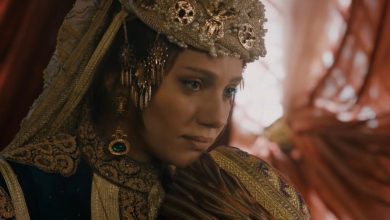
Watch Mevlana Celaleddin Rumi Episode 28 (Season 3 Episode 8) With English Subtitles
Alaaddin Loses His Way as Kimya Faces Death – Mevlana Celaleddin Rumi Episode 28 with English Subtitles
Full HD version below. Enjoy!
Watch Mevlana Celaleddin Rumi Episode 28 (Season 3 Episode 8) with English Subtitles – Alaaddin Loses His Way as Kimya Faces Death
“Everything returns to its truth”
Episode 28 of Mevlana Celaleddin Rumi is a quiet but heavy hour. A baby is given the name Alaaddin by Hudavendigar, while the Alaaddin the family knows seems lost in darkness. Bahaeddin asks his father for permission to marry Fatma, Kimya grows weaker and speaks of death as a homecoming, and Omer Atabeg is pulled between grief for Efsun and the counsel of Hudavendigar. Watch it here with English subtitles.
Alaaddin Drifts Further Away
Alaaddin’s conversations with Halid Effendi, Kimya and Bahaeddin all show the same man: cold, bitter and unwilling to explain himself. Halid Effendi tells him that words are no longer enough and that the dagger must be sharp, but Alaaddin answers that something sharper comes first. He tells Kimya she has turned into a dried branch, and later he refuses to leave when Bahaeddin finds him, saying he is not back home. Bahaeddin warns that even their brotherhood will not save him if he repeats it. Hudavendigar calls this state perishment, not death.
Bahaeddin and Fatma Share Good News
Not everything in the episode is dark. Bahaeddin tells Hudavendigar that his prayer has been answered and asks to marry Selahaddin Effendi’s daughter, Fatma. Hudavendigar agrees that Selahaddin Zerkub’s permission must be sought. Bahaeddin then visits Fatma, and the two share a shy, affectionate exchange before he explains that his father was very happy and will speak to Selahaddin Effendi soon. Fatma offers to tell Kiramana Hatun the news herself, so that she is not angry with Bahaeddin.


 Connect with us on SOCIAL MEDIA to catch up on the latest updates and be part of our growing community!
Terms used in this episode
See the full glossary of Ottoman and Turkish terms →For any issues, please check our FAQ
Check if you have issues on all your devices (phone, tablet, laptop, PC…) or just your TV.
Different manufacturers (Samsung, LG and others) have different operating systems on which their TV’s run. Samsung uses Tizen while LG has webOS and they are not up to date with the latest standards in video playback.
That’s why we developed a player which supports casting feature.
If the video is playable on your other devices, try casting it to your TV.
In some cases casting icon doesn’t show up on the lower edge of the player to iPhone/iPad owners.
If you face such an issue, we recommend using Tubio app. It’s free and you can download it from App Store by clicking this link.
With it, you can cast any video from your iPhone/iPad to your TV.
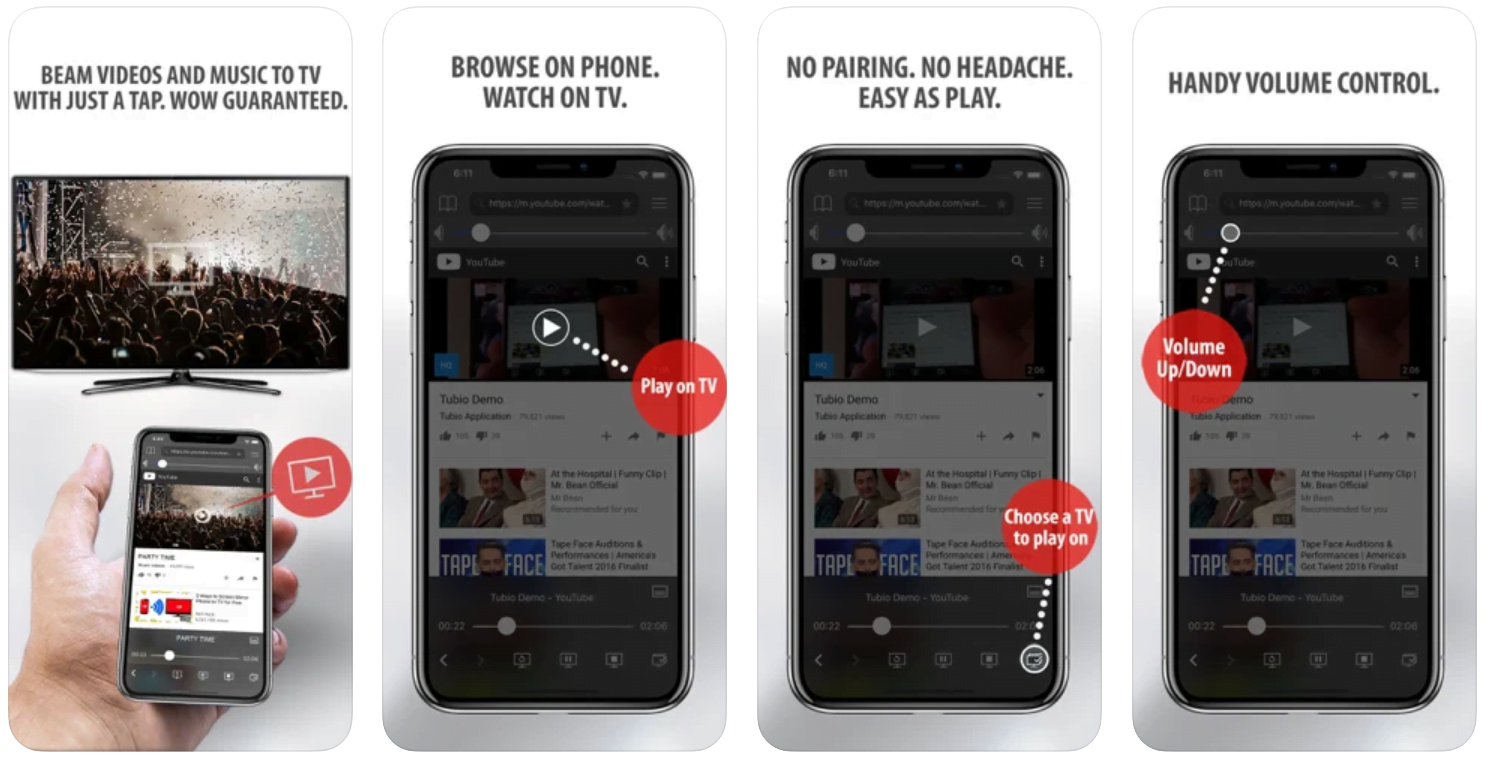
Yes it does! Our new player supports casting feature so you can easily cast the video from your phone/tablet/laptop or PC to your TV
Video casting is a feature which allows you to send (or cast) a video from your phone, tablet, laptop or a PC to your Smart TV or other Cast-enabled device (such as Smart TV’s, Chromecast and other devices with cast functionality).
It makes watching a video on your TV very convenient because you don’t have to use your TV’s browser (which are often not very user friendly) to find the video and play it on your TV.
Insted, you simply:
- find it on your phone, tablet, laptop or a PC,
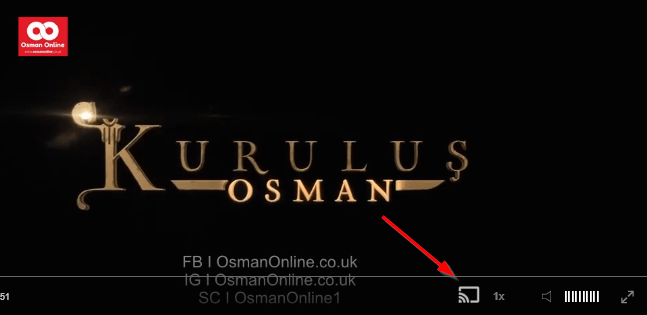
- click ‘Cast’ button (image below) on the lower edge of the video,
- select a TV to which you want to send the video
and video playback will start on your TV.
Note: Your TV and your phone, tablet, laptop or a PC need to be on the same network. It’s usually the case at home but, for example, if your phone is on mobile network and your TV is connected to your home network, casting button won’t show up on your phone because your phone doesn’t “see” your TV because they are not on the same network. In which case, simply connect your phone to your home network and reload the browsers page where the player is.
Clear cookies, clear cache, try a different browser.
Here’s a handy guide for most browsers.
Try using a different network. For example, if you have issues on your home network, you can try using your phone and it’s mobile network, in which case, your ISP is blocking the access to the video so maybe you should consider switching ISPs or using a VPS service.
Kimya, Omer and the Talk of Death
Kimya is weak and tired, yet she insists she is happy, and she tells a worried lady that she is this way because she loves too much. She says Shams is only a representation and that her love is for Allah. Elsewhere Omer Atabeg, still grieving for Efsun, hears Hudavendigar say that death is a return to one’s homeland and that he will gird on his sword under a banner. Omer then asks how one becomes a Muslim, and Hudavendigar advises him to keep the dhikr of Allah in his heart. The closing minutes leave Omer with something worth waiting for.
Mini FAQ
Where can I watch Mevlana Celaleddin Rumi Episode 28 with English subtitles?
You can watch Episode 28 with English subtitles right here on osmanonline.live.
Who does Bahaeddin want to marry in Episode 28?
Bahaeddin asks Hudavendigar for permission to marry Fatma, the daughter of Selahaddin Effendi. Hudavendigar says Selahaddin Zerkub’s permission must be obtained first.
What does Kimya say about death in Episode 28?
Kimya says that those who love do not fear death because they will meet their beloved. She explains that her love is for Allah and that Shams is only a representation.
Watch all episodes of Mevlana Celaleddin Rumi with English subtitles on OsmanOnline.live.
For more Turkish series like this, visit osmanonline.live to watch, and explore fascinating historical tales at osmanonline.me.