
Watch Teşkilat Episode 193 (Season 7 Episode 9) With English Subtitles
Barlas Varay Falls as Turkey Faces Cyberattack – Teşkilat Episode 193 with English Subtitles
Full HD version below. Enjoy!
Watch Teşkilat Episode 193 (Season 7 Episode 9) with English Subtitles – Barlas Varay Falls as Turkey Faces Cyberattack
“You’re wrong. I’ve only just begun.”
In Teşkilat Episode 193, the Teacher is finally in custody. Tuğrul confronts Barlas Varay, who shows no remorse, while Altay and Azra begin an interrogation that is far from over. Outside the cell, the Mapmakers answer with a cyberattack that threatens to cut Turkey off from the world. Korkut and Hamdi walk a dangerous line beside Ulak and Şahin, Yahya learns more about Bald Sait, and a trap leaves the Teşkilat team in serious danger.
Barlas Varay Under Interrogation
Tuğrul names the Teacher as Barlas Varay and tells him he has blood on his hands, especially his own daughter’s. Barlas drops the kindly grandfather act and admits how much he enjoyed setting the rules of the game. Tuğrul says he will watch him rot in a cell, but Barlas insists he has only just begun. In the interrogation room, Altay demands to know which foreign services back him and who funded the Mapmakers. Barlas hints that he studied each of them in advance, and the team begins to wonder whether Beren entered their lives by chance.
The Internet Attack and Ulak’s Plan
Ulak asks Korkut and Hamdi for explosives to blow up a data center that carries Turkey’s internet traffic. The Teşkilat works out what the Mapmakers intend and decides to play along while quietly moving the key system to the backup center and clearing the main building. Şahin turns up beside them, complaining about Africa. Even so, the Mapmakers had planned for this, and soon the country’s internet goes dark. Uzay’s team races to find where the servers were moved as panic spreads and Tuğrul warns that the real war could reach the streets.

 Connect with us on SOCIAL MEDIA to catch up on the latest updates and be part of our growing community!
For any issues, please check our FAQ
Check if you have issues on all your devices (phone, tablet, laptop, PC…) or just your TV.
Different manufacturers (Samsung, LG and others) have different operating systems on which their TV’s run. Samsung uses Tizen while LG has webOS and they are not up to date with the latest standards in video playback.
That’s why we developed a player which supports casting feature.
If the video is playable on your other devices, try casting it to your TV.
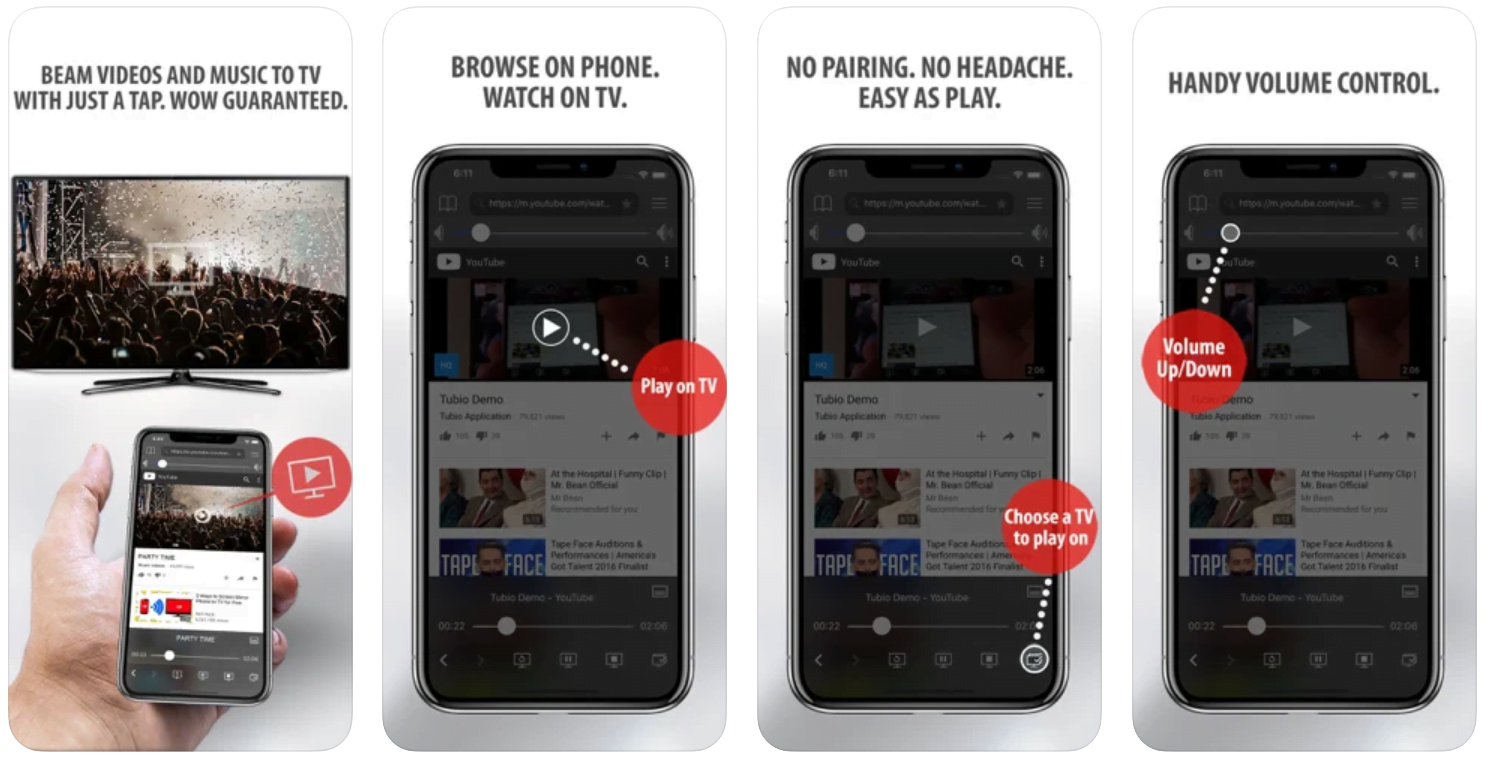
In some cases casting icon doesn’t show up on the lower edge of the player to iPhone/iPad owners.
If you face such an issue, we recommend using Tubio app. It’s free and you can download it from App Store by clicking this link.
With it, you can cast any video from your iPhone/iPad to your TV.
Yes it does! Our new player supports casting feature so you can easily cast the video from your phone/tablet/laptop or PC to your TV
Video casting is a feature which allows you to send (or cast) a video from your phone, tablet, laptop or a PC to your Smart TV or other Cast-enabled device (such as Smart TV’s, Chromecast and other devices with cast functionality).
It makes watching a video on your TV very convenient because you don’t have to use your TV’s browser (which are often not very user friendly) to find the video and play it on your TV.
Insted, you simply:
- find it on your phone, tablet, laptop or a PC,
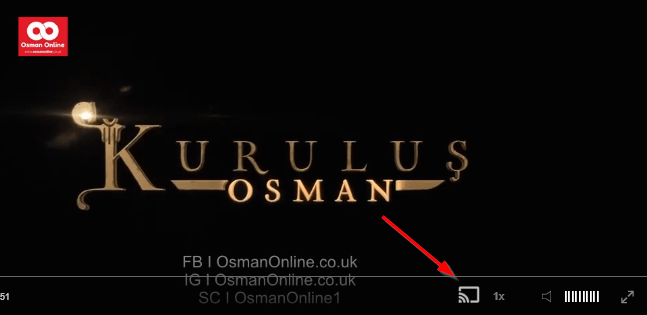
- click ‘Cast’ button (image below) on the lower edge of the video,
- select a TV to which you want to send the video
and video playback will start on your TV.
Note: Your TV and your phone, tablet, laptop or a PC need to be on the same network. It’s usually the case at home but, for example, if your phone is on mobile network and your TV is connected to your home network, casting button won’t show up on your phone because your phone doesn’t “see” your TV because they are not on the same network. In which case, simply connect your phone to your home network and reload the browsers page where the player is.
Clear cookies, clear cache, try a different browser.
Here’s a handy guide for most browsers.
Try using a different network. For example, if you have issues on your home network, you can try using your phone and it’s mobile network, in which case, your ISP is blocking the access to the video so maybe you should consider switching ISPs or using a VPS service.
Prison Threats, Bahar and Berkay
In prison, Yahya receives a threatening greeting from Bald Sait and is moved out for his own safety. He later tells Bahar about his lost children, and a discovery about Korkut’s past comes out of an orphanage file. Bahar tells Korkut she wants a divorce, saying the knife attack took motherhood from her and fatherhood from him. Meanwhile Berkay, pushed by his so-called academic advisor, ends up in a gun accident in a car and tells his mother he has killed a man.
Mini FAQ
Who is the Teacher in Teşkilat Episode 193?
The Teacher is revealed to be Barlas Varay, Ender’s grandfather and Tuğrul’s father-in-law. The Teşkilat catches him and takes him in for interrogation.
What is the cyberattack in Teşkilat Episode 193?
The Mapmakers try to crash Turkey’s internet system so that hospitals, airports, banks and communications stop and chaos follows. The goal is to force the Teşkilat to hand over the Teacher.
What happens between Korkut and Bahar in Episode 193?
Bahar says she cannot face Korkut after the knife attack and tells him she wants a divorce. Korkut is left shaken and tells Hamdi.
Watch all episodes of Teşkilat with English subtitles on OsmanOnline.live.
For more Turkish series like this, visit osmanonline.live to watch, and explore fascinating historical tales at osmanonline.me.