
Watch Taşacak Bu Deniz Episode 9 (Season 1 Episode 9) With English Subtitles
Adil Learns the Truth About Aleyna's Grave – Taşacak Bu Deniz Episode 9 with English Subtitles
Full HD version below. Enjoy!
Watch Taşacak Bu Deniz Episode 9 (Season 1 Episode 9) with English Subtitles – Adil Learns the Truth About Aleyna’s Grave
“I buried my baby alone.”
Episode 9 of Taşacak Bu Deniz begins at the grave of Aleyna, the daughter Adil never knew he had. Esme finally tells him what happened twenty years ago, while Eleni, packed for Harvard, struggles with the idea of leaving Trabzon behind. Adil also gives the Furtunas a hard deadline to leave Karadeniz, and Ilve is pushed to bring Şerif two phones to get her son back. Here is what happens in this episode, which you can watch with English subtitles.
Adil and Esme at Aleyna’s grave
Adil learns that Aleyna lived only five minutes because her heart had a hole. Back at the house, he asks Esme why she married Şerif. She answers that she was pregnant, and that a Furtuna girl carrying a Koçari child would not have been left alive. Esme reminds him that Adil was in prison and Şerif was on the run when she buried the baby, so she did it alone. Adil does not blame her. He tells her he wants to hold her hand now. Esme later hands Şerif her divorce papers and her ring.
Eleni, Oruç and the road to Harvard
Eleni has her suitcase packed, with the Harvard letter and her bouzouki, when Oruç turns up and asks her to come back and be with Esme. She refuses. Her future is in America, she says, and she does not want to fall for an engaged man who bargained with her mother. Before she leaves, Oruç asks her to sing the folk song he heard her singing, and he records it on video. Mika takes her to the airport. Meanwhile, Oruç refuses when his mother Zarife suggests taking Eleni as a bride to save the family.


 Connect with us on SOCIAL MEDIA to catch up on the latest updates and be part of our growing community!
For any issues, please check our FAQ
Check if you have issues on all your devices (phone, tablet, laptop, PC…) or just your TV.
Different manufacturers (Samsung, LG and others) have different operating systems on which their TV’s run. Samsung uses Tizen while LG has webOS and they are not up to date with the latest standards in video playback.
That’s why we developed a player which supports casting feature.
If the video is playable on your other devices, try casting it to your TV.
In some cases casting icon doesn’t show up on the lower edge of the player to iPhone/iPad owners.
If you face such an issue, we recommend using Tubio app. It’s free and you can download it from App Store by clicking this link.
With it, you can cast any video from your iPhone/iPad to your TV.
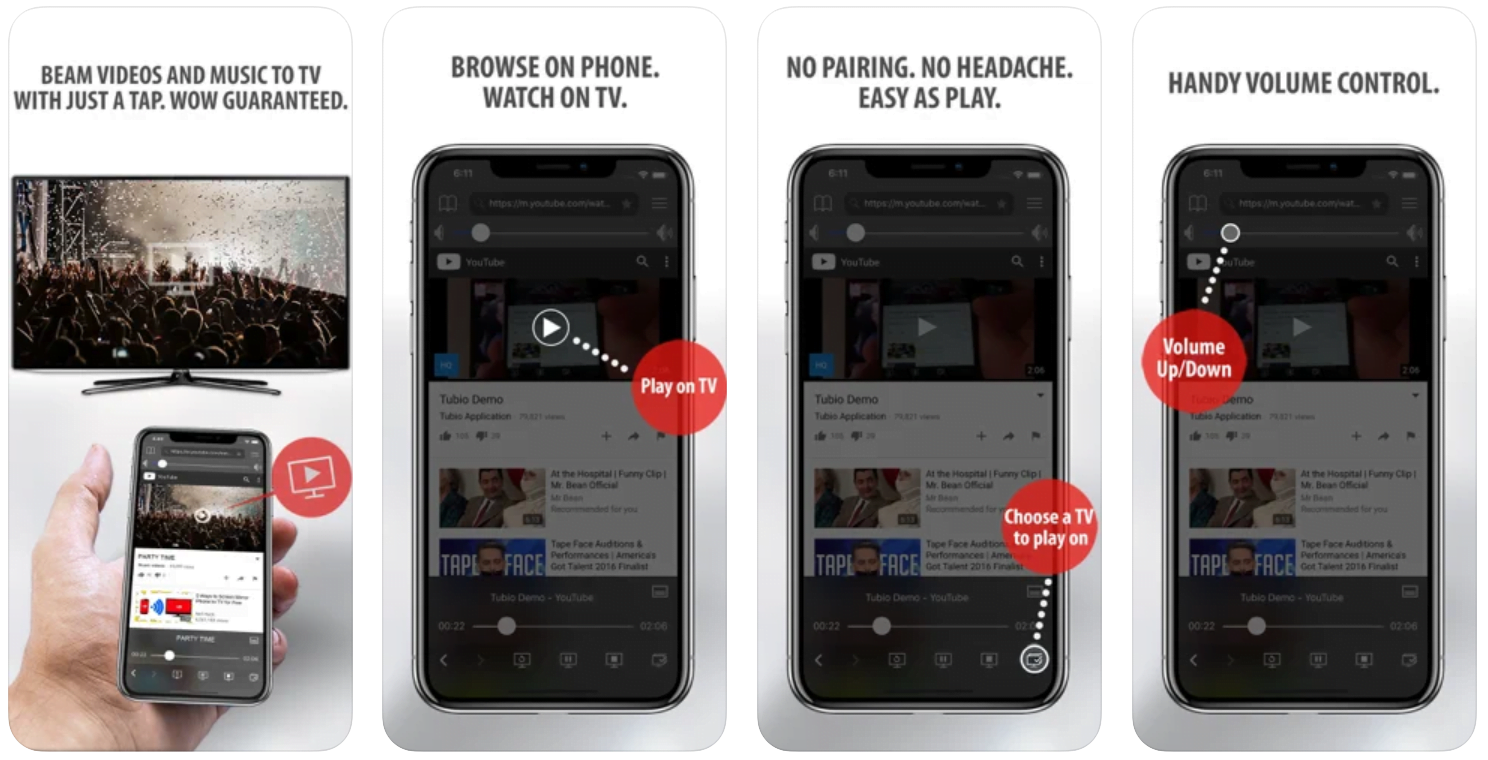
Yes it does! Our new player supports casting feature so you can easily cast the video from your phone/tablet/laptop or PC to your TV
Video casting is a feature which allows you to send (or cast) a video from your phone, tablet, laptop or a PC to your Smart TV or other Cast-enabled device (such as Smart TV’s, Chromecast and other devices with cast functionality).
It makes watching a video on your TV very convenient because you don’t have to use your TV’s browser (which are often not very user friendly) to find the video and play it on your TV.
Insted, you simply:
- find it on your phone, tablet, laptop or a PC,
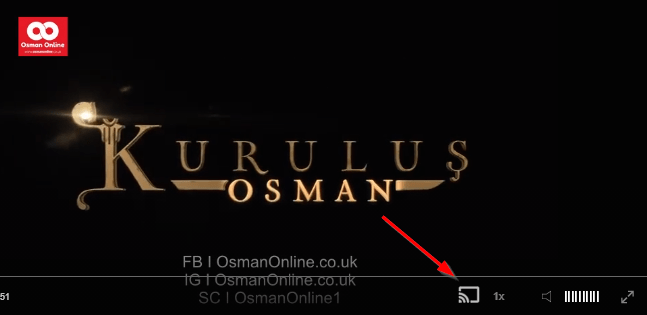
- click ‘Cast’ button (image below) on the lower edge of the video,
- select a TV to which you want to send the video
and video playback will start on your TV.
Note: Your TV and your phone, tablet, laptop or a PC need to be on the same network. It’s usually the case at home but, for example, if your phone is on mobile network and your TV is connected to your home network, casting button won’t show up on your phone because your phone doesn’t “see” your TV because they are not on the same network. In which case, simply connect your phone to your home network and reload the browsers page where the player is.
Clear cookies, clear cache, try a different browser.
Here’s a handy guide for most browsers.
Try using a different network. For example, if you have issues on your home network, you can try using your phone and it’s mobile network, in which case, your ISP is blocking the access to the video so maybe you should consider switching ISPs or using a VPS service.
Twenty days for the Furtunas
At the Furtuna mansion, Adil gives Şirin, Zarife and Şerif twenty days, one for each year he lost. They must sell their property and leave Karadeniz, or he will have the mansion blown up. Gezep and Çakır search for Şerif, who has warned that blood will be spilled. Ilve, who is being forced to steal the two phones Koçari holds, is caught by Ballı, who decides to help her. After the Yasin prayer for Aleyna, Adil notices the phones are gone and heads for the Furtuna mansion.
Mini FAQ
What happens in Taşacak Bu Deniz Episode 9?
Adil and Esme grieve for their daughter Aleyna, and Esme explains why she married Şerif. Adil gives the Furtunas twenty days to leave Karadeniz, while Eleni decides to go to America.
Who is Aleyna in Taşacak Bu Deniz?
Aleyna is the daughter of Adil and Esme, who lived only five minutes because her heart had a hole. Adil only learns of her existence in this episode.
Can I watch Taşacak Bu Deniz Episode 9 with English subtitles?
Yes, Episode 9 is available to watch on osmanonline.live with English subtitles.
Watch all episodes of Taşacak Bu Deniz with English subtitles on OsmanOnline.live.
For more Turkish series like this, visit osmanonline.live to watch, and explore fascinating historical tales at osmanonline.me.