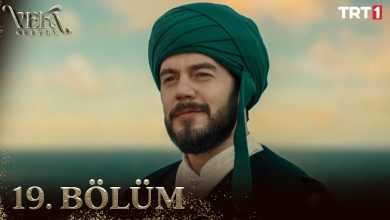
Watch Vefa Sultan Episode 20 (Season 1 Episode 20) With English Subtitles
Vefa Sultan Arrives in Constantinople to Build a Lodge – Vefa Sultan Episode 20 with English Subtitles
Full HD version below. Enjoy!
Watch Vefa Sultan Episode 20 (Season 1 Episode 20) with English Subtitles – Vefa Sultan Arrives in Constantinople to Build a Lodge
“Man is the enemy of what he does not know.”
In Episode 20, Sheik Musluhiddin Mustafa, known as Vefa Sultan, reaches Constantinople and is hosted in Sinan Pasa’s palace. Many people are surprised by how young he is. He chooses Sferaki as the site of his lodge, even though Sinan Pasa warns of problems there. The dervishes begin work with their own hands, while opponents in the city plan to stop them and people in the neighborhood watch with suspicion. Here is what happens in the episode.
A Young Sheik at Sinan Pasa’s Palace
Vefa and his dervishes are welcomed at the palace, where visitors expecting an old Sheik are surprised to learn that the young man is Musluhiddin Mustafa himself. Sheik al-Islam Molla Gurhani greets him, and Vefa answers that without hardship there would be no exam. Later Haci doubts that someone so young can carry such a task. Sinan Pasa defends him, pointing to his determination and to the fact that not everyone can come out of the well of Rhodes smiling like Yusuf. Vefa has also politely refused the offered protection and help.
Why Vefa Chooses Sferaki
Sinan Pasa suggests building the lodge in Eyup, near the resting place of Abu Ayyub al-Ansari. Vefa prefers Sferaki, even when the Pasa calls it full of problems and obstacles. He asks whether roses do not grow among thorns, and says the goal is to open hearts. He turns down the guest house, because dervishes do not usually live in palaces and want to build with their own hands and sweat. In Sferaki, Akif, son of Asim Effendi, joins the work, and Vefa understands his situation without being told.


 Connect with us on SOCIAL MEDIA to catch up on the latest updates and be part of our growing community!
Terms used in this episode
- Şeyh spiritual leader of a Sufi order
- Paşa highest title of officials
- İnşallah If Allah wills
- Sultan sovereign ruler
- Maşallah What Allah has willed
- Efendi sir, master
- Molla Islamic scholar
- Amin amen
For any issues, please check our FAQ
Check if you have issues on all your devices (phone, tablet, laptop, PC…) or just your TV.
Different manufacturers (Samsung, LG and others) have different operating systems on which their TV’s run. Samsung uses Tizen while LG has webOS and they are not up to date with the latest standards in video playback.
That’s why we developed a player which supports casting feature.
If the video is playable on your other devices, try casting it to your TV.
In some cases casting icon doesn’t show up on the lower edge of the player to iPhone/iPad owners.
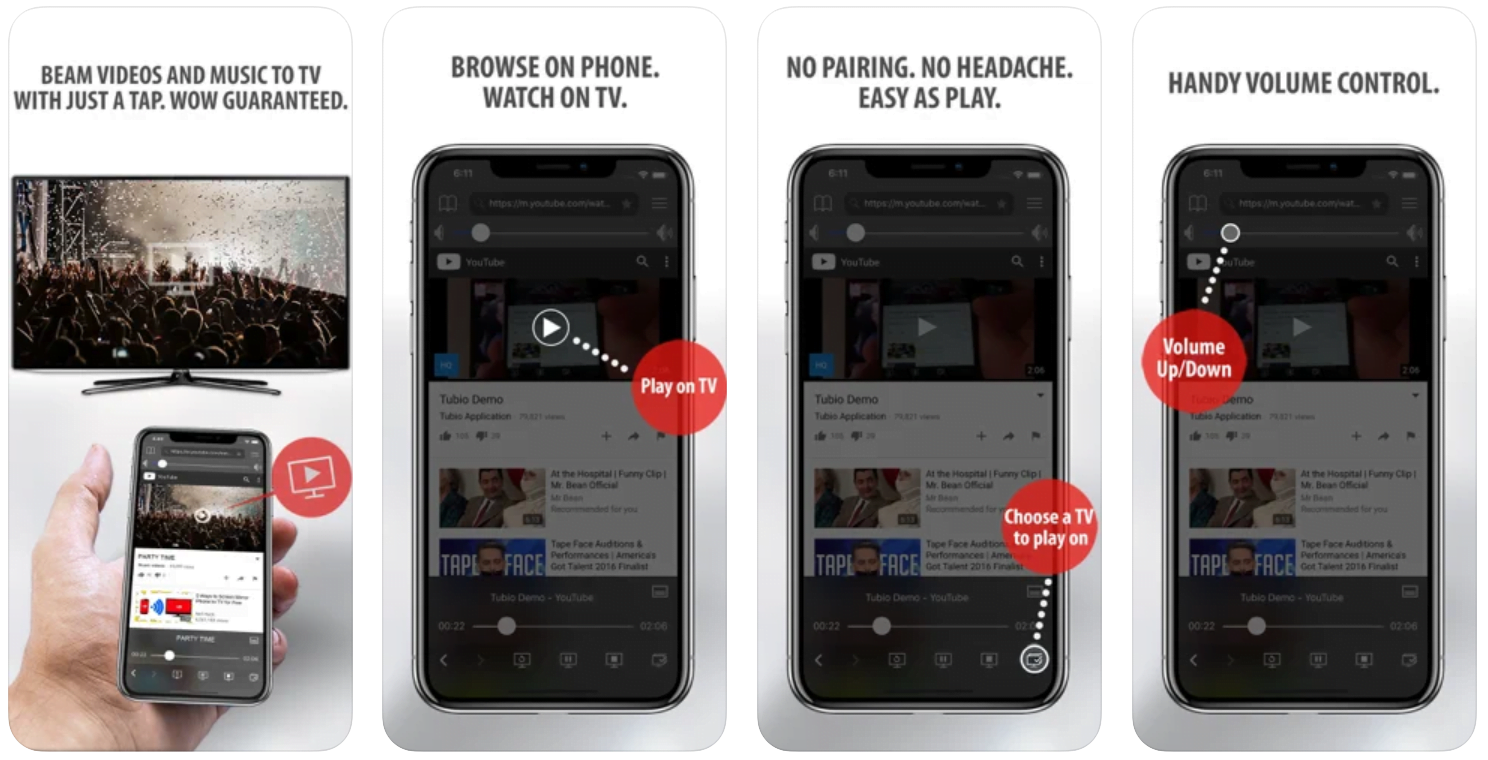
If you face such an issue, we recommend using Tubio app. It’s free and you can download it from App Store by clicking this link.
With it, you can cast any video from your iPhone/iPad to your TV.
Yes it does! Our new player supports casting feature so you can easily cast the video from your phone/tablet/laptop or PC to your TV
Video casting is a feature which allows you to send (or cast) a video from your phone, tablet, laptop or a PC to your Smart TV or other Cast-enabled device (such as Smart TV’s, Chromecast and other devices with cast functionality).
It makes watching a video on your TV very convenient because you don’t have to use your TV’s browser (which are often not very user friendly) to find the video and play it on your TV.
Insted, you simply:
- find it on your phone, tablet, laptop or a PC,
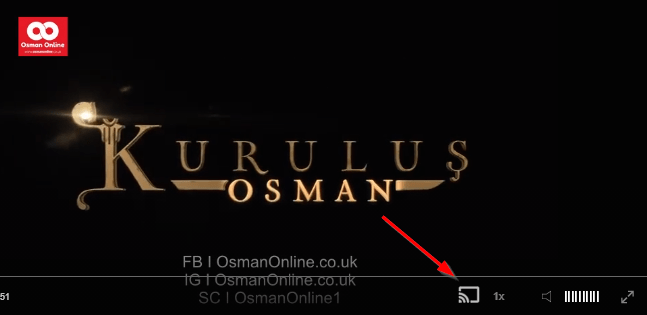
- click ‘Cast’ button (image below) on the lower edge of the video,
- select a TV to which you want to send the video
and video playback will start on your TV.
Note: Your TV and your phone, tablet, laptop or a PC need to be on the same network. It’s usually the case at home but, for example, if your phone is on mobile network and your TV is connected to your home network, casting button won’t show up on your phone because your phone doesn’t “see” your TV because they are not on the same network. In which case, simply connect your phone to your home network and reload the browsers page where the player is.
Clear cookies, clear cache, try a different browser.
Here’s a handy guide for most browsers.
Try using a different network. For example, if you have issues on your home network, you can try using your phone and it’s mobile network, in which case, your ISP is blocking the access to the video so maybe you should consider switching ISPs or using a VPS service.
Closed Markets and Hostile Neighbors
The work meets resistance. Merchants refuse to sell materials, so Salman leads the dervishes into the forest to gather wood and stones. Meanwhile Vasily admits he forced others by threats to deal with the materials, and a plan is made to turn the dervishes’ hopes to ashes. In the inn, Vefa defends Yareli and his black cat, saying that man is the enemy of what he does not know. Andreas weighs his promise to serve until the lodge is finished, while his family questions it. The episode ends on a tense note for the lodge.
Mini FAQ
What happens in Vefa Sultan Episode 20?
Vefa arrives in Constantinople, meets Sinan Pasa and Molla Gurhani, and insists on building his lodge in Sferaki. The dervishes start work, but shortages of materials and hostile opponents make it hard.
Where does Vefa want to build the lodge in Episode 20?
Sinan Pasa proposes Eyup, but Vefa prefers Sferaki. He says roses grow where there are thorns and that the goal is to open hearts.
Who is Andreas in Vefa Sultan?
Andreas is a young man from the neighborhood who was freed from Rhodes. In Episode 20 he is serving Vefa until the lodge is completed, as he promised, even though his family and neighbors question this.
Watch all episodes of Vefa Sultan with English subtitles on OsmanOnline.live.
For more Turkish series like this, visit osmanonline.live to watch, and explore fascinating historical tales at osmanonline.me.