
Watch Aziz Mahmud Hudayi: Askın Yolculugu Episode 14 With English Subtitles
Mahmud Resigns as Qadi and Seeks the Sheikh – Aziz Mahmud Hudayi: Askın Yolculugu Episode 14 with English Subtitles
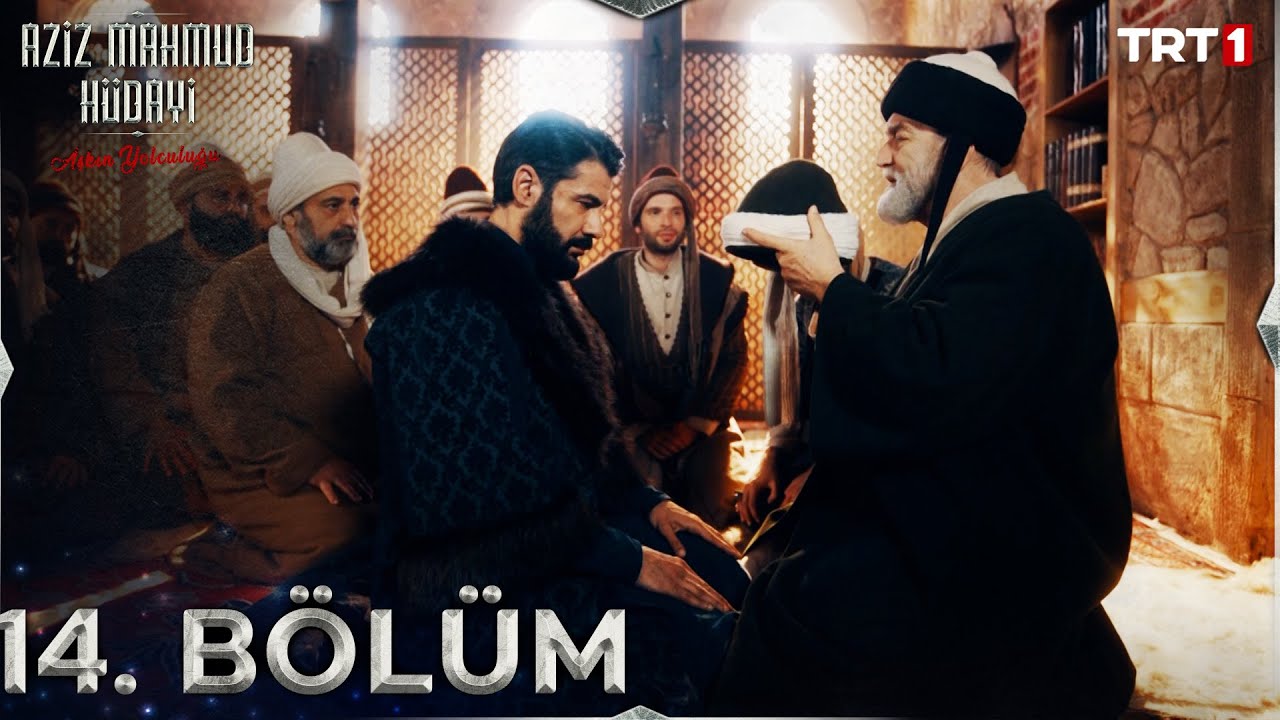
Watch Aziz Mahmud Hudayi: Askın Yolculugu Episode 14 with English Subtitles – Mahmud Resigns as Qadi and Seeks the Sheikh
“Dhikr is recited with the heart”
Episode 14 opens with Mahmud burning with fever and haunted by a dream of hell. His mother and son fear that more than an illness is troubling him, and Commander Dogan brings a doctor. At the lodge, a trip for firewood on Kesis Mountain ends with little Yusuf lost in the forest and a mysterious traveler coming to his aid. By morning, Mahmud has reached a decision about his post as Qadi of Brusa.
Mahmud’s Fever and the Dream of Hell
Mahmud’s mother tells her son that he refuses a doctor and wants to be alone. She senses that something besides illness is troubling him. In his delirium, a voice mocks him as a coward who hides from fear and would leave Brusa to its oppressors. He then sees his Master and says he saw him burning in hell, and the answer he gets is that this fleeting world is false. Commander Dogan brings a doctor, who finds him feverish and delirious. Mustafa later reports that the doctor finished his treatment and that his father must eat.
Yusuf Gets Lost on Kesis Mountain
Winter has settled in, so Hasan Agha, Huseyin and Ali set out for firewood. Young Yusuf asks to join them, wanting to collect things for his invention, and the Sheikh sends Beyoglu along to watch over him. In the forest Yusuf wanders off, and the men search for him while calling his name. A traveler catches him just in time and returns him safely. Asked who he is, the stranger says he comes from Him and returns to Him. The grateful lodge members invite him to stay as their guest.


 Connect with us on SOCIAL MEDIA to catch up on the latest updates and be part of our growing community!
Full HD version bellow. Enjoy!
Terms used in this episode
- Kadı judge
- Şeyh spiritual leader of a Sufi order
- Bey lord, chieftain
- Selamün Aleyküm Peace be upon you
- Efendi sir, master
- Ağa chief, commander, elder
- Bismillah In the name of Allah
- Derviş member of a Sufi order
For any issues, please check our FAQ
Check if you have issues on all your devices (phone, tablet, laptop, PC…) or just your TV.
Different manufacturers (Samsung, LG and others) have different operating systems on which their TV’s run. Samsung uses Tizen while LG has webOS and they are not up to date with the latest standards in video playback.
That’s why we developed a player which supports casting feature.
If the video is playable on your other devices, try casting it to your TV.
In some cases casting icon doesn’t show up on the lower edge of the player to iPhone/iPad owners.
If you face such an issue, we recommend using Tubio app. It’s free and you can download it from App Store by clicking this link.
With it, you can cast any video from your iPhone/iPad to your TV.
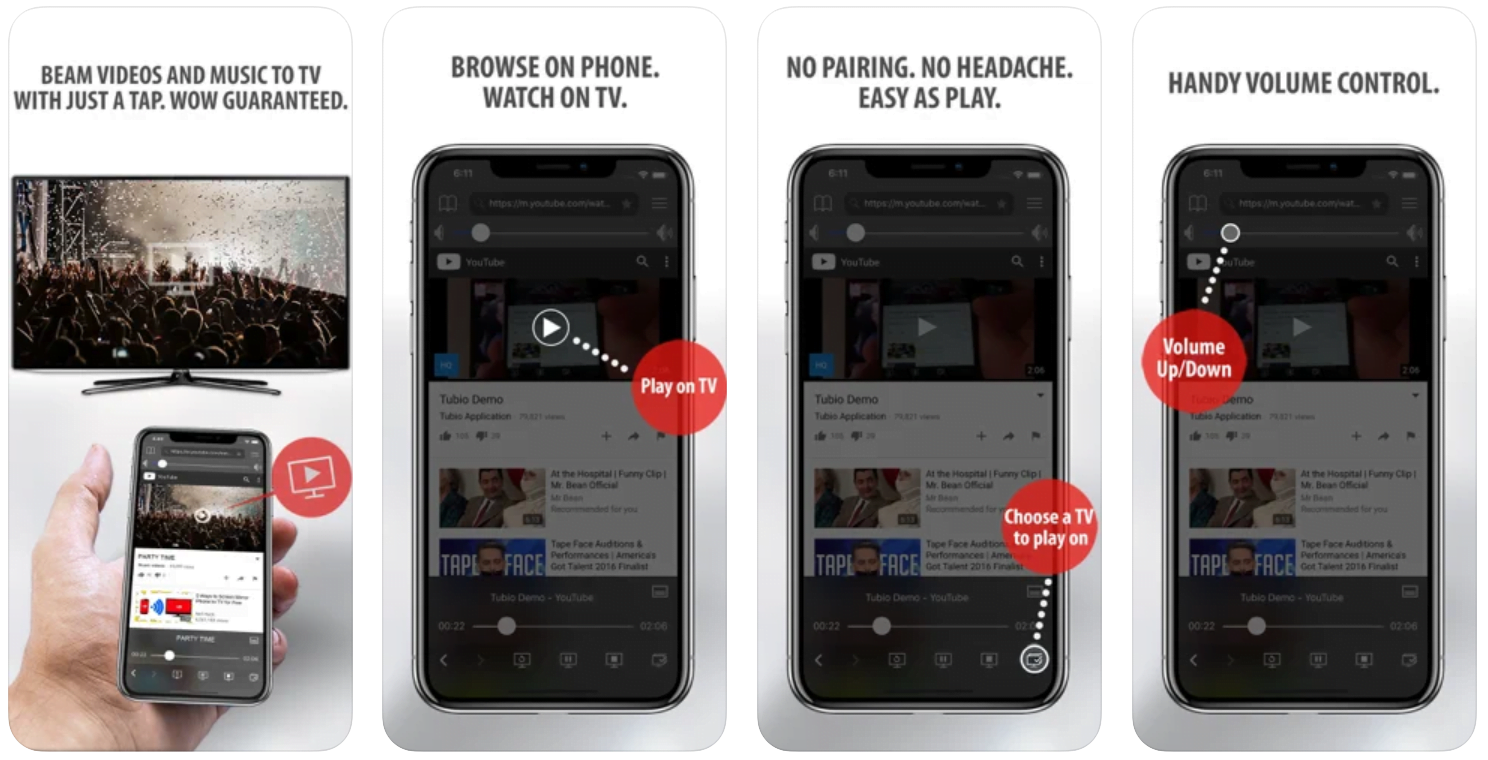
Yes it does! Our new player supports casting feature so you can easily cast the video from your phone/tablet/laptop or PC to your TV
Video casting is a feature which allows you to send (or cast) a video from your phone, tablet, laptop or a PC to your Smart TV or other Cast-enabled device (such as Smart TV’s, Chromecast and other devices with cast functionality).
It makes watching a video on your TV very convenient because you don’t have to use your TV’s browser (which are often not very user friendly) to find the video and play it on your TV.
Insted, you simply:
- find it on your phone, tablet, laptop or a PC,
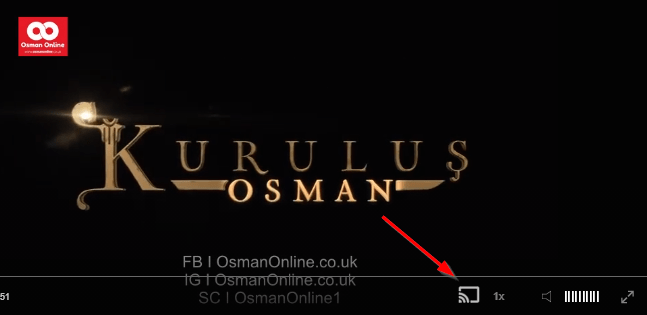
- click ‘Cast’ button (image below) on the lower edge of the video,
- select a TV to which you want to send the video
and video playback will start on your TV.
Note: Your TV and your phone, tablet, laptop or a PC need to be on the same network. It’s usually the case at home but, for example, if your phone is on mobile network and your TV is connected to your home network, casting button won’t show up on your phone because your phone doesn’t “see” your TV because they are not on the same network. In which case, simply connect your phone to your home network and reload the browsers page where the player is.
Clear cookies, clear cache, try a different browser.
Here’s a handy guide for most browsers.
Try using a different network. For example, if you have issues on your home network, you can try using your phone and it’s mobile network, in which case, your ISP is blocking the access to the video so maybe you should consider switching ISPs or using a VPS service.
The Door of Poverty
Mahmud goes to the Sheikh and begs to be accepted as a disciple, but he is told that the door of wealth is not the door of poverty. He then tells Safiye he will resign as Qadi and never move into the new mansion. At the council, he announces his resignation, and the regents will serve as deputies of justice until a new Qadi arrives from the capital. Back at the lodge, he says he has left everything behind. The Sheikh asks if he is ready, and a ceremony begins. What the Sheikh asks of him next is left for you to watch.
Mini FAQ
Why does Mahmud resign as Qadi in Episode 14?
He tells Safiye the decision is for his afterlife, and that he would lose his mind if he did not give up worldly possessions and rank. He then announces his resignation to the council.
What happens to Yusuf on Kesis Mountain?
Yusuf wanders off in the forest while the men gather firewood and gets lost. A traveler catches him in time and returns him, and the lodge invites the stranger to stay as their guest.
Where can I watch Aziz Mahmud Hudayi Episode 14 with English subtitles?
You can watch Aziz Mahmud Hudayi: Askın Yolculugu Episode 14 with English subtitles on osmanonline.live.
Watch all episodes of Aziz Mahmud Hudayi: Askın Yolculugu with English subtitles on OsmanOnline.live.
For more Turkish series like this, visit osmanonline.live to watch, and explore fascinating historical tales at osmanonline.me.