
Watch Payitaht: Abdülhamid Episode 80 (Season 3 Episode 26) With English Subtitles
Ahmed Pasha Poses as Papken to Trap Sabahattin – Payitaht: Abdülhamid Episode 80 with English Subtitles
Full HD version below. Enjoy!
Watch Payitaht: Abdülhamid Episode 80 (Season 3 Episode 26) with English Subtitles – Ahmed Pasha Poses as Papken to Trap Sabahattin
“Every child of this state is our child.”
In Episode 80, Abdulhamid’s plan against Prince Sabahattin moves forward. Ahmed Pasha meets Sabahattin as Papken and asks for British machine guns in return for Armenian support, while Vambery is kept in a room until the trap is ready. In the city, Halil Halid hunts the drug network, Seniha Sultan faces a growing threat, and Shivenaz keeps working against the palace. Watch Payitaht: Abdülhamid Episode 80 with English subtitles on Osman Online.
The Papken Plan Against Sabahattin
Ahmed Pasha reports that Sabahattin wants the support of Armenian gangs for the congress in Paris. Sabahattin does not know Papken, so Ahmed Pasha goes to him in that role, with the scar made convincing by the palace doctors. Papken sets a price: British machine guns that fire 600 bullets a minute. Abdulhamid first asks the English ambassador to sell the weapons and gets a refusal, then asks for that refusal in writing. Vambery is kept in a room until the plan ends. The Sultan also tells Ahmed Pasha to learn how the guns work.
Halil Halid and the Drug Ring
A father tells Abdulhamid that drugs have turned his son against his own mother, and the Sultan sends for Halil Halid. Ahmed Pasha reminds him to protect what was entrusted to him. Meanwhile the gang plans to sell drugs through a gambling house and the post office. Halil Halid takes the chemist, gathers the people in the square and holds a court there. Cezzar is recovering, a silent boy found by Nadir stays with the group, and Halil Halid says he will go inside and deal with the drug dealer himself.


 Connect with us on SOCIAL MEDIA to catch up on the latest updates and be part of our growing community!
Terms used in this episode
- Hünkâr the sovereign
- Efendi sir, master
- Paşa highest title of officials
- Sultan sovereign ruler
- Payitaht the imperial capital
- Bey lord, chieftain
- Vallahi By Allah, I swear by Allah
- Şehzade prince, son of the Sultan
For any issues, please check our FAQ
Check if you have issues on all your devices (phone, tablet, laptop, PC…) or just your TV.
Different manufacturers (Samsung, LG and others) have different operating systems on which their TV’s run. Samsung uses Tizen while LG has webOS and they are not up to date with the latest standards in video playback.
That’s why we developed a player which supports casting feature.
If the video is playable on your other devices, try casting it to your TV.
In some cases casting icon doesn’t show up on the lower edge of the player to iPhone/iPad owners.
If you face such an issue, we recommend using Tubio app. It’s free and you can download it from App Store by clicking this link.
With it, you can cast any video from your iPhone/iPad to your TV.
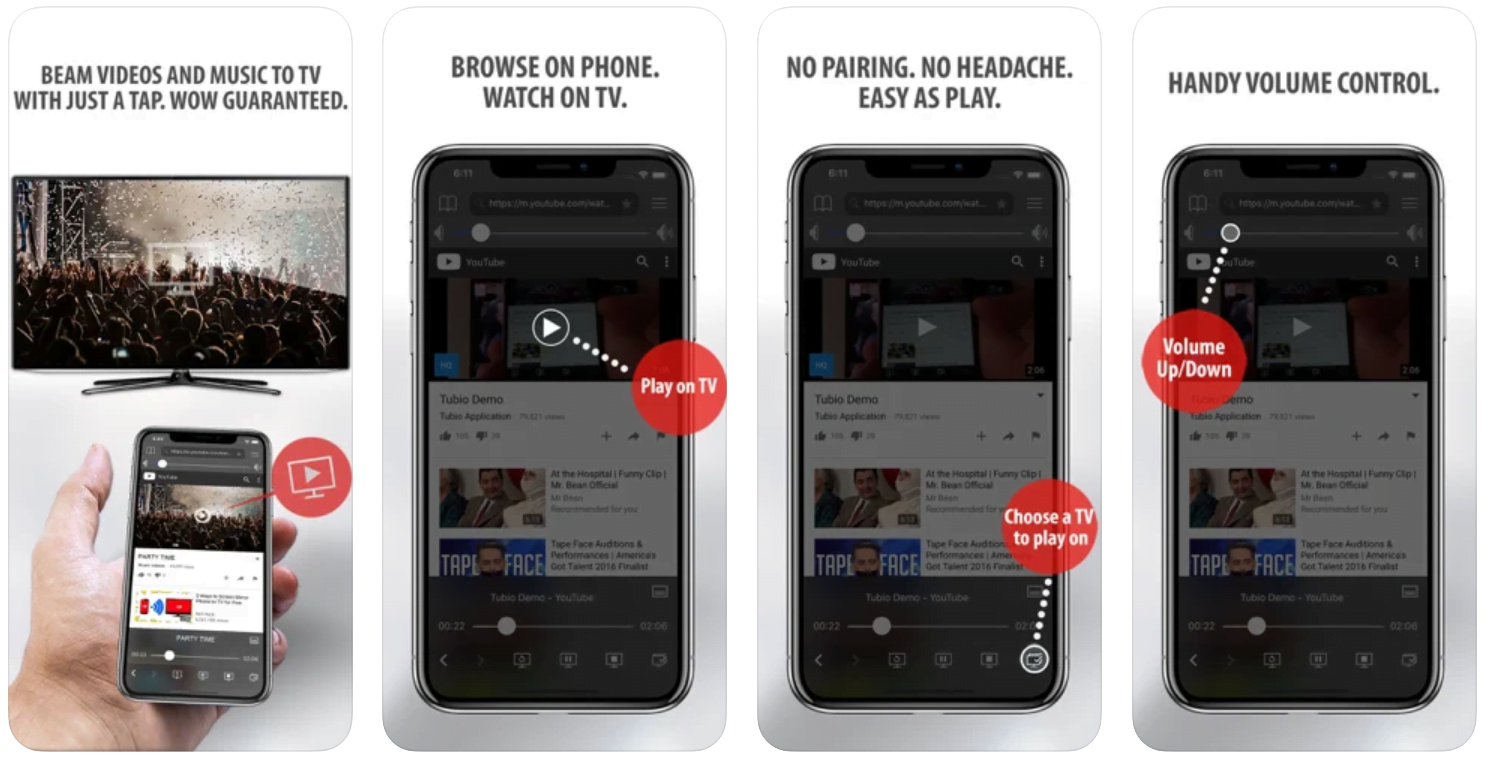
Yes it does! Our new player supports casting feature so you can easily cast the video from your phone/tablet/laptop or PC to your TV
Video casting is a feature which allows you to send (or cast) a video from your phone, tablet, laptop or a PC to your Smart TV or other Cast-enabled device (such as Smart TV’s, Chromecast and other devices with cast functionality).
It makes watching a video on your TV very convenient because you don’t have to use your TV’s browser (which are often not very user friendly) to find the video and play it on your TV.
Insted, you simply:
- find it on your phone, tablet, laptop or a PC,
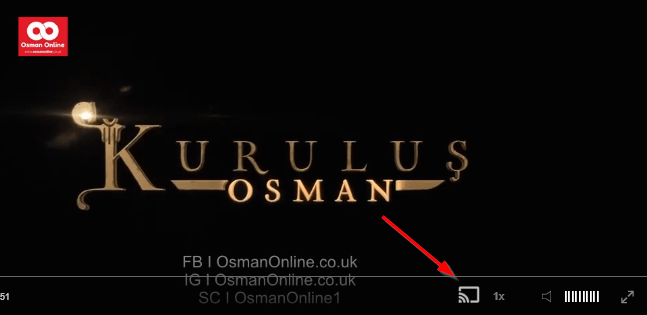
- click ‘Cast’ button (image below) on the lower edge of the video,
- select a TV to which you want to send the video
and video playback will start on your TV.
Note: Your TV and your phone, tablet, laptop or a PC need to be on the same network. It’s usually the case at home but, for example, if your phone is on mobile network and your TV is connected to your home network, casting button won’t show up on your phone because your phone doesn’t “see” your TV because they are not on the same network. In which case, simply connect your phone to your home network and reload the browsers page where the player is.
Clear cookies, clear cache, try a different browser.
Here’s a handy guide for most browsers.
Try using a different network. For example, if you have issues on your home network, you can try using your phone and it’s mobile network, in which case, your ISP is blocking the access to the video so maybe you should consider switching ISPs or using a VPS service.
Trouble Inside the Palace and the Family
Ahmed Pasha admits that Sabahattin warned him about the assassination, and that Seniha Sultan had asked him to stay silent. Abdulhamid tells him to keep watching over every child of the state. Shivenaz visits Fuad Efendi and gives him a dose, then asks to stay in the palace as a teacher. A new servant starts adding drops to Seniha Sultan’s drink, and soon she sees a snake that is not there. Naime and Arif meet on a boat, and Abdulkadir takes Arif aside for a talk.
Mini FAQ
Who is Papken in Payitaht Abdülhamid Episode 80?
Papken is the role Ahmed Pasha plays when he meets Prince Sabahattin. Sabahattin has never seen the real Papken, so the palace uses a convincing scar to make the disguise work.
What weapons does Sabahattin need in Episode 80?
Papken asks for a British machine gun that fires 600 bullets a minute. In return he promises that the Hinchak and Tashnak groups will join Sabahattin’s congress in Paris.
Can I watch Payitaht Abdülhamid Episode 80 with English subtitles?
Yes, Episode 80 is available on osmanonline.live with English subtitles. You can watch it online in full on the episode page.
Watch all episodes of Payitaht: Abdülhamid with English subtitles on OsmanOnline.live.
For more Turkish series like this, visit osmanonline.live to watch, and explore fascinating historical tales at osmanonline.me.