
Watch Payitaht: Abdülhamid Episode 91 (Season 4 Episode 3) With English Subtitles
Ahmed Pasha Faces Russia Over the Leaked Maps – Payitaht: Abdülhamid Episode 91 with English Subtitles
Full HD version below. Enjoy!
Watch Payitaht: Abdülhamid Episode 91 (Season 4 Episode 3) with English Subtitles – Ahmed Pasha Faces Russia Over the Leaked Maps
“Tough barrages are always passed in the end, and hope always blooms.”
In Episode 91, the leaked maps bring the ambassadors to the palace. Russia, England, Austria and France demand that Ahmed Pasha be handed over, while Abdulhamid refuses to give up a loyal friend. Inside the palace, Shahzade Nureddin goes missing and Gulcemal finds him. Edward Joris and Dame Gruev chase weapons through Payitaht, with Khalil Khalid close behind. Watch the episode with English subtitles and follow how each thread tightens around the Sultan.
The Maps and the Pressure on Ahmed Pasha
The ambassadors arrive with maps that carry Ahmed Pasha’s seal and demand that he be given to Russia. Abdulhamid answers that the Sultan is loyal to his friend. Ahmed Pasha offers to be exiled to Siberia for the state’s sake, but the Sultan refuses. Later the Sultan explains that the leak was allowed on purpose, so that Russian plans on the Balkans would show on a map. He then orders the Pashas to question the clerks who could reach the document room, and Tevfik Pasha to back the Ottoman claim to Belgrade, Budapest and Bahcesaray.
Nureddin, Gulcemal and Bidar Sultan
Shahzade Nureddin vanishes inside Darulhayr-i Ali, and the search ends when Gulcemal finds him. Cemile Sultan then blames Bidar Sultan for not looking after the boy properly. Later a child from the orphanage is found with bruises, and the Sultan promises to punish whoever hurt him. Bidar Sultan decides that Gulcemal should become Nureddin’s teacher instead of going to Bursa, which matters a great deal to Mehmed, who loves her. Soon she is playing soldiers with the Shahzade in the garden, and the boy plays along.


 Connect with us on SOCIAL MEDIA to catch up on the latest updates and be part of our growing community!
Terms used in this episode
- Paşa highest title of officials
- Hünkâr the sovereign
- Sultan sovereign ruler
- Efendi sir, master
- Şehzade prince, son of the Sultan
- İnşallah If Allah wills
- Payitaht the imperial capital
- Bey lord, chieftain
For any issues, please check our FAQ
Check if you have issues on all your devices (phone, tablet, laptop, PC…) or just your TV.
Different manufacturers (Samsung, LG and others) have different operating systems on which their TV’s run. Samsung uses Tizen while LG has webOS and they are not up to date with the latest standards in video playback.
That’s why we developed a player which supports casting feature.
If the video is playable on your other devices, try casting it to your TV.
In some cases casting icon doesn’t show up on the lower edge of the player to iPhone/iPad owners.
If you face such an issue, we recommend using Tubio app. It’s free and you can download it from App Store by clicking this link.
With it, you can cast any video from your iPhone/iPad to your TV.
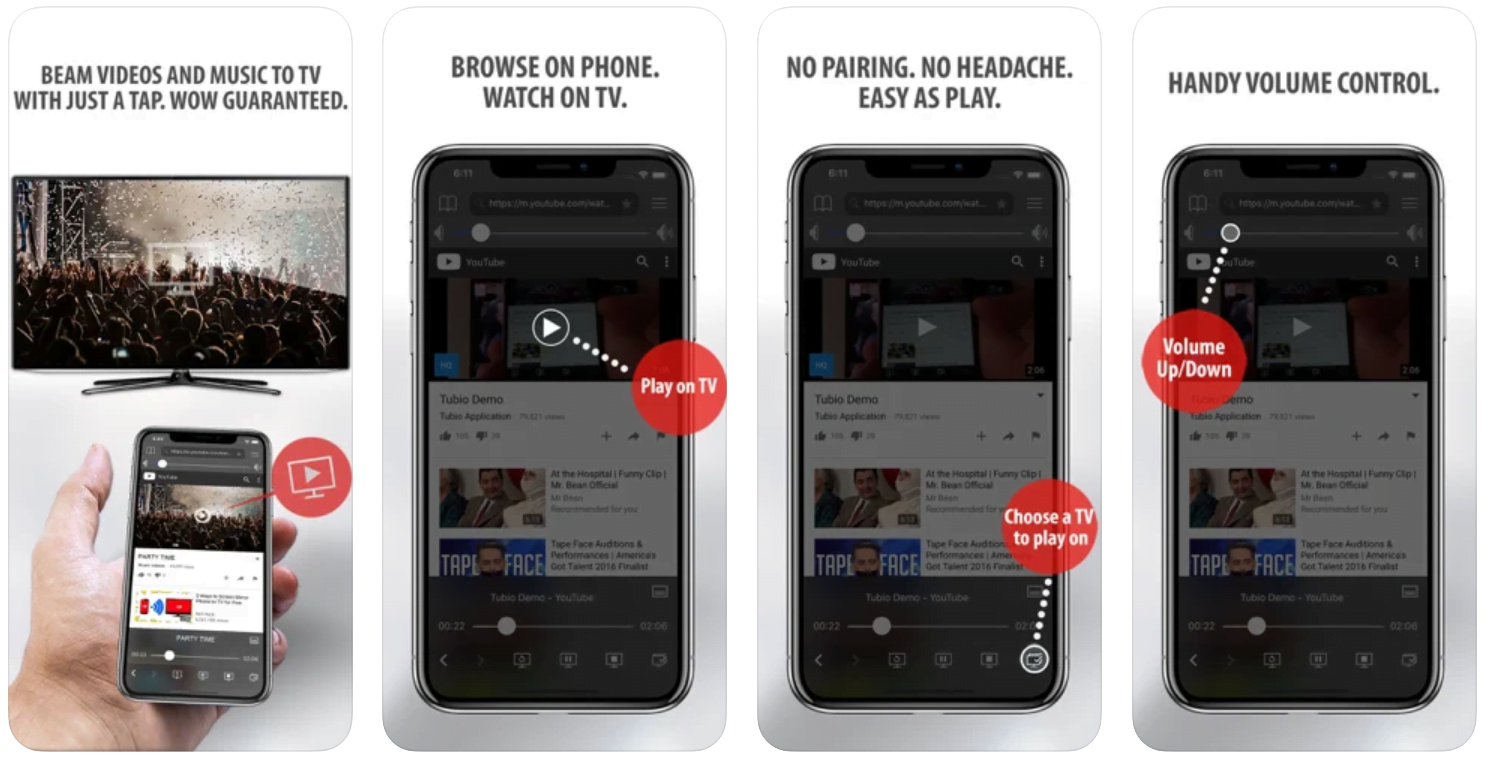
Yes it does! Our new player supports casting feature so you can easily cast the video from your phone/tablet/laptop or PC to your TV
Video casting is a feature which allows you to send (or cast) a video from your phone, tablet, laptop or a PC to your Smart TV or other Cast-enabled device (such as Smart TV’s, Chromecast and other devices with cast functionality).
It makes watching a video on your TV very convenient because you don’t have to use your TV’s browser (which are often not very user friendly) to find the video and play it on your TV.
Insted, you simply:
- find it on your phone, tablet, laptop or a PC,
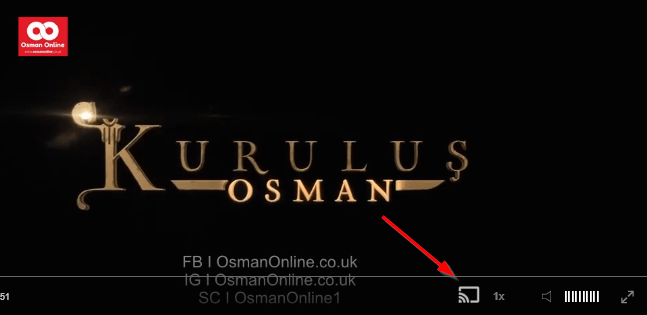
- click ‘Cast’ button (image below) on the lower edge of the video,
- select a TV to which you want to send the video
and video playback will start on your TV.
Note: Your TV and your phone, tablet, laptop or a PC need to be on the same network. It’s usually the case at home but, for example, if your phone is on mobile network and your TV is connected to your home network, casting button won’t show up on your phone because your phone doesn’t “see” your TV because they are not on the same network. In which case, simply connect your phone to your home network and reload the browsers page where the player is.
Clear cookies, clear cache, try a different browser.
Here’s a handy guide for most browsers.
Try using a different network. For example, if you have issues on your home network, you can try using your phone and it’s mobile network, in which case, your ISP is blocking the access to the video so maybe you should consider switching ISPs or using a VPS service.
Joris, Kartov and the Weapons Deal
Edward Joris and Dame Gruev need guns for IMRO, so they meet the broker John Kartov, who has come to Payitaht for the arms exposition. Khalil Khalid’s men follow them through the city, and Kartov is furious about being chased. Even so, he names a deal of rifles, grenades and heavy machine guns for Selanik Harbor, to be delivered once the money is paid. Joris presses Zalman to send it. Meanwhile Huber asks to hire his own men for the exposition, and Cevat points suspicion at Krikor Efendi.
Mini FAQ
Why do the ambassadors demand Ahmed Pasha in Payitaht Abdülhamid Episode 91?
The maps leaked from the Seraskerat carry a signature that they trace to Ahmed Pasha. The English, Austrian, French and Russian ambassadors want him punished and handed over to Russia.
Who is John Kartov in Episode 91?
John Kartov is an arms broker who once sold weapons to IMRO and comes to Payitaht for the arms exposition. Joris and Gruev bargain with him, and Khalil Khalid’s men follow him.
Does Gulcemal go to Bursa in Episode 91?
No. Bidar Sultan asks Gulcemal to become Shahzade Nureddin’s teacher at the palace, and someone else will be chosen for the new school in Bursa.
Watch all episodes of Payitaht: Abdülhamid with English subtitles on OsmanOnline.live.
For more Turkish series like this, visit osmanonline.live to watch, and explore fascinating historical tales at osmanonline.me.