
Watch Vefa Sultan Episode 13 (Season 1 Episode 13) With English Subtitles
Mustafa Guides Hajj Seekers and a Struggling Drinker – Vefa Sultan Episode 13 with English Subtitles

Watch Vefa Sultan Episode 13 (Season 1 Episode 13) with English Subtitles – Mustafa Guides Hajj Seekers and a Struggling Drinker
“Time reveals the truth of everything to man.”
In Vefa Sultan Episode 13, the lodge is tested on intention, trust and repentance. Dervish Mustafa gives surprising advice to merchants who want to go on Hajj, Yareli is troubled by something he saw, and Salman helps a man who wants to leave drinking behind. Belinay confides in Ayse about her father and marriage, and by evening important guests arrive at her home. Meanwhile, Ayse is clearly not well, and that worry follows the episode to its end.
Who Is Ready for Hajj?
Karamani tells the Sheik that two merchants came to the inn wishing to go on Hajj. Mustafa told one of them that the route was not suitable for him, even though his money seemed enough. The other had asked forgiveness from friends and relatives, and Mustafa sent him off with prayers. Karamani admits he cannot understand this. The Sheik answers that recognizing kindness is a skill in itself and tells him to trust Mustafa’s abilities. Later Mustafa tells the story of Al-Hasan al-Basri and a well, to show that actions are judged by intentions.
Yareli, Salman and the Road to Repentance
Yareli is deeply sad about what he saw and cannot believe his eyes. He is reminded to keep good faith, avoid suspicion and be patient. Salman then takes a drinking man toward the lodge, and tells how he was once addicted to alcohol and was nearly burned in a fire before his Sheik pulled him out and cleansed him. Mustafa explains the steps of repentance: a bath, a prayer and putting dirt on the forehead in prostration. The man leaves thankful and says one of them saved his wedding and the other saved his life.


 Connect with us on SOCIAL MEDIA to catch up on the latest updates and be part of our growing community!
Full HD version bellow. Enjoy!
For any issues, please check our FAQ
Check if you have issues on all your devices (phone, tablet, laptop, PC…) or just your TV.
Different manufacturers (Samsung, LG and others) have different operating systems on which their TV’s run. Samsung uses Tizen while LG has webOS and they are not up to date with the latest standards in video playback.
That’s why we developed a player which supports casting feature.
If the video is playable on your other devices, try casting it to your TV.
In some cases casting icon doesn’t show up on the lower edge of the player to iPhone/iPad owners.
If you face such an issue, we recommend using Tubio app. It’s free and you can download it from App Store by clicking this link.
With it, you can cast any video from your iPhone/iPad to your TV.
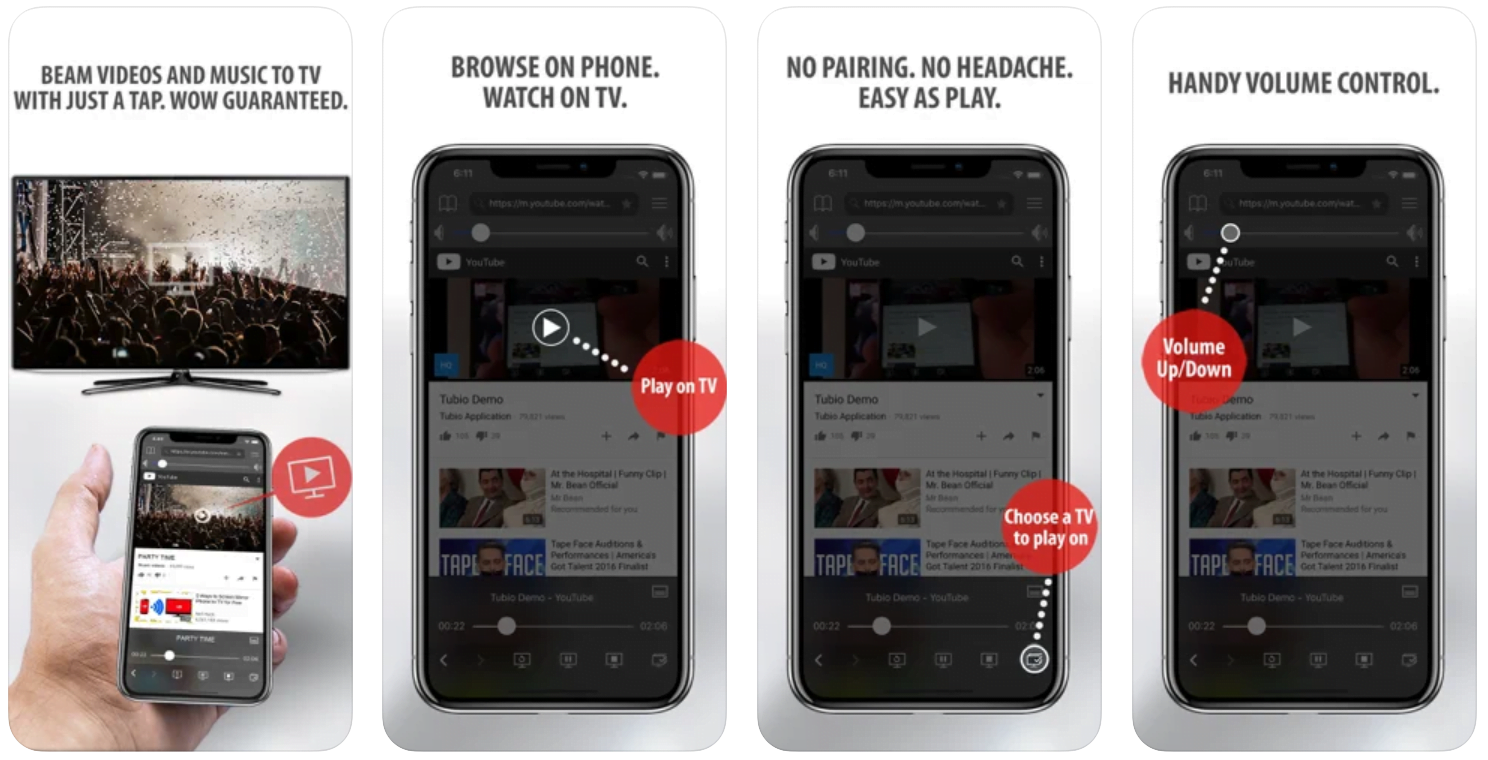
Yes it does! Our new player supports casting feature so you can easily cast the video from your phone/tablet/laptop or PC to your TV
Video casting is a feature which allows you to send (or cast) a video from your phone, tablet, laptop or a PC to your Smart TV or other Cast-enabled device (such as Smart TV’s, Chromecast and other devices with cast functionality).
It makes watching a video on your TV very convenient because you don’t have to use your TV’s browser (which are often not very user friendly) to find the video and play it on your TV.
Insted, you simply:
- find it on your phone, tablet, laptop or a PC,
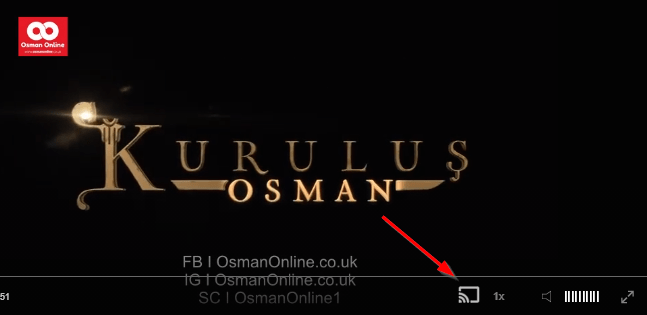
- click ‘Cast’ button (image below) on the lower edge of the video,
- select a TV to which you want to send the video
and video playback will start on your TV.
Note: Your TV and your phone, tablet, laptop or a PC need to be on the same network. It’s usually the case at home but, for example, if your phone is on mobile network and your TV is connected to your home network, casting button won’t show up on your phone because your phone doesn’t “see” your TV because they are not on the same network. In which case, simply connect your phone to your home network and reload the browsers page where the player is.
Clear cookies, clear cache, try a different browser.
Here’s a handy guide for most browsers.
Try using a different network. For example, if you have issues on your home network, you can try using your phone and it’s mobile network, in which case, your ISP is blocking the access to the video so maybe you should consider switching ISPs or using a VPS service.
A Proposal at Belinay’s Door
Belinay visits Ayse because she has no other friend, and she tells her that her father spoke with her about marriage. She admits that she could not tell him her heart is with Mustafa. Ayse looks pale and blames the cold and the preparations for the wedding. In the evening the Sheik arrives with his party, and Zinnur Effendi welcomes them. They formally ask for Belinay’s hand for Mustafa, and her father answers with warm words about love. Back with Ayse, the episode closes on a moment that leaves fans waiting for Episode 14.
Mini FAQ
What happens in Vefa Sultan Episode 13?
Mustafa advises merchants who want to go on Hajj, Salman and Mustafa guide a man toward repentance, and Belinay’s marriage to Mustafa is formally asked for. Ayse’s health also becomes a growing concern.
Why does Mustafa tell one merchant not to go on Hajj?
He says the route is not suitable for him and that his money may not be enough for this road. Karamani does not understand it, and the Sheik tells him to trust Mustafa and ask him directly.
Where can I watch Vefa Sultan Episode 13 with English subtitles?
You can watch Vefa Sultan Episode 13 with English subtitles here on osmanonline.live.
Watch all episodes of Vefa Sultan with English subtitles on OsmanOnline.live.
For more Turkish series like this, visit osmanonline.live to watch, and explore fascinating historical tales at osmanonline.me.