
Watch Vefa Sultan Episode 19 (Season 1 Episode 19) With English Subtitles
Vefa Sultan Faces Danger in the Fortress of Rhodes – Vefa Sultan Episode 19 with English Subtitles

Watch Vefa Sultan Episode 19 (Season 1 Episode 19) with English Subtitles – Vefa Sultan Faces Danger in the Fortress of Rhodes
“Our trust in Allah is absolute, and there is no plan greater than that.”
In Episode 19 of Vefa Sultan, the Sheik and his followers are held prisoner in Rhodes after a young captive tries to stab the Sheik with a dagger. The castle commander punishes the boy, cuts off food for everyone, and gives Pedro a secret order. In Constantinople, Molla Celaleddin and the council discuss how to strengthen the faith in the city, while an Ottoman fleet sets out with a message for the knights.
A Dagger Aimed at the Sheik
The episode begins with the aftermath of the attack. A father asks for forgiveness for his young son, and the answer he hears is that Allah’s mercy is vast. The commander of the castle asks the boy who gave him the dagger, but the boy says nothing. The commander says that a dead prisoner is useless, since the prisoners are a source of income. Because the boy is a child, he spares his life and orders solitary confinement without water. He then stops food for all prisoners, and they are told that their trust in Allah is absolute.
Pedro’s Secret Order and a Talk About Loyalty
The commander calls in Pedro, who has served under him for over fifteen years. He asks why the Sheik sits alone in his cell and then tells Pedro to kill the old man in secret, because the death of such a valuable prisoner would upset the knights. Griwas, who answers for the knights, suspects a bribery network between prisoners and guards. In the cell, the Sheik speaks about loyalty to everything Allah created and asks for a bag of gold. Ferit, once angry about his father’s conversion, asks to become a Muslim.


 Connect with us on SOCIAL MEDIA to catch up on the latest updates and be part of our growing community!
Full HD version bellow. Enjoy!
For any issues, please check our FAQ
Check if you have issues on all your devices (phone, tablet, laptop, PC…) or just your TV.
Different manufacturers (Samsung, LG and others) have different operating systems on which their TV’s run. Samsung uses Tizen while LG has webOS and they are not up to date with the latest standards in video playback.
That’s why we developed a player which supports casting feature.
If the video is playable on your other devices, try casting it to your TV.
In some cases casting icon doesn’t show up on the lower edge of the player to iPhone/iPad owners.
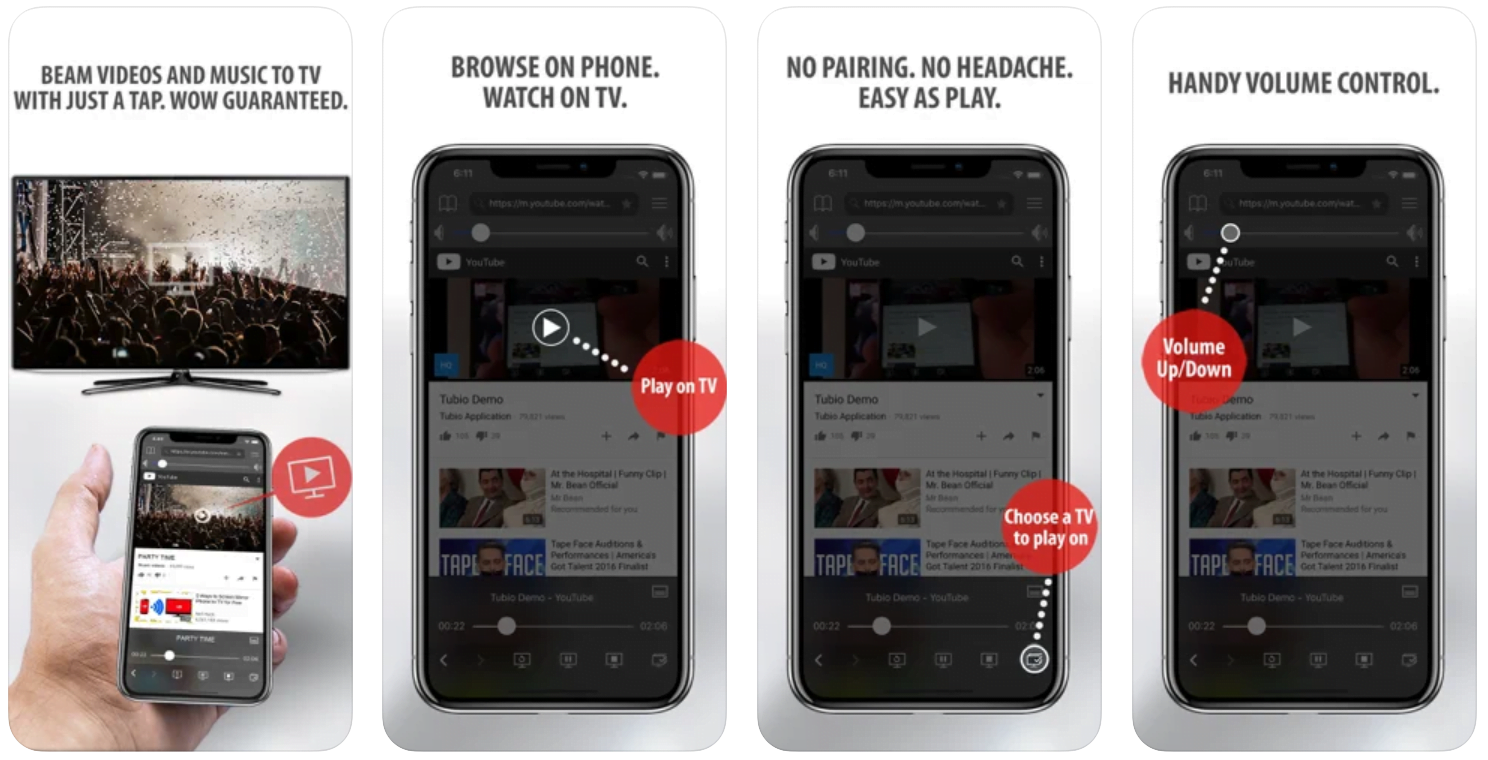
If you face such an issue, we recommend using Tubio app. It’s free and you can download it from App Store by clicking this link.
With it, you can cast any video from your iPhone/iPad to your TV.
Yes it does! Our new player supports casting feature so you can easily cast the video from your phone/tablet/laptop or PC to your TV
Video casting is a feature which allows you to send (or cast) a video from your phone, tablet, laptop or a PC to your Smart TV or other Cast-enabled device (such as Smart TV’s, Chromecast and other devices with cast functionality).
It makes watching a video on your TV very convenient because you don’t have to use your TV’s browser (which are often not very user friendly) to find the video and play it on your TV.
Insted, you simply:
- find it on your phone, tablet, laptop or a PC,
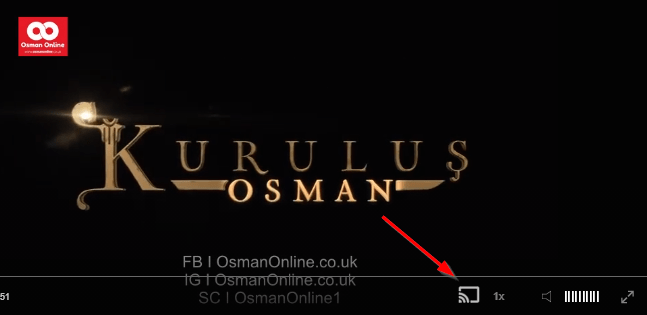
- click ‘Cast’ button (image below) on the lower edge of the video,
- select a TV to which you want to send the video
and video playback will start on your TV.
Note: Your TV and your phone, tablet, laptop or a PC need to be on the same network. It’s usually the case at home but, for example, if your phone is on mobile network and your TV is connected to your home network, casting button won’t show up on your phone because your phone doesn’t “see” your TV because they are not on the same network. In which case, simply connect your phone to your home network and reload the browsers page where the player is.
Clear cookies, clear cache, try a different browser.
Here’s a handy guide for most browsers.
Try using a different network. For example, if you have issues on your home network, you can try using your phone and it’s mobile network, in which case, your ISP is blocking the access to the video so maybe you should consider switching ISPs or using a VPS service.
Constantinople Prepares While the Fleet Sails
In Constantinople, a scholar says the city has not yet taken on the color of Islam. He quotes the hadith about changing evil with the hand, the tongue and the heart, and asks whether a Molla can call himself one without working for Allah and the city. Celaleddin is told that a Muslim’s appearance matters in this city. Elsewhere, a messenger from Karamanoglu Ibrahim Bey arrives in Rhodes with a chest of gold and asks for the Sheik’s release. Ships of the Ottoman fleet have also sailed. What the knights decide is left for the final scenes.
Mini FAQ
Where can I watch Vefa Sultan Episode 19 with English subtitles?
You can watch Vefa Sultan Episode 19 with English subtitles on osmanonline.live. The episode page has the full video with subtitles.
What happens to the Sheik in Vefa Sultan Episode 19?
The Sheik is held in Rhodes after a boy tries to attack him with a dagger. The commander secretly orders Pedro to kill him, while a messenger from Karamanoglu Ibrahim Bey arrives to ask for his release.
Who is Pedro in Vefa Sultan Episode 19?
Pedro is a knight who has served under the castle commander for over fifteen years. The commander gives him a secret task concerning the Sheik, and he also brings the prisoners out when the messenger arrives.
Watch all episodes of Vefa Sultan with English subtitles on OsmanOnline.live.
For more Turkish series like this, visit osmanonline.live to watch, and explore fascinating historical tales at osmanonline.me.